
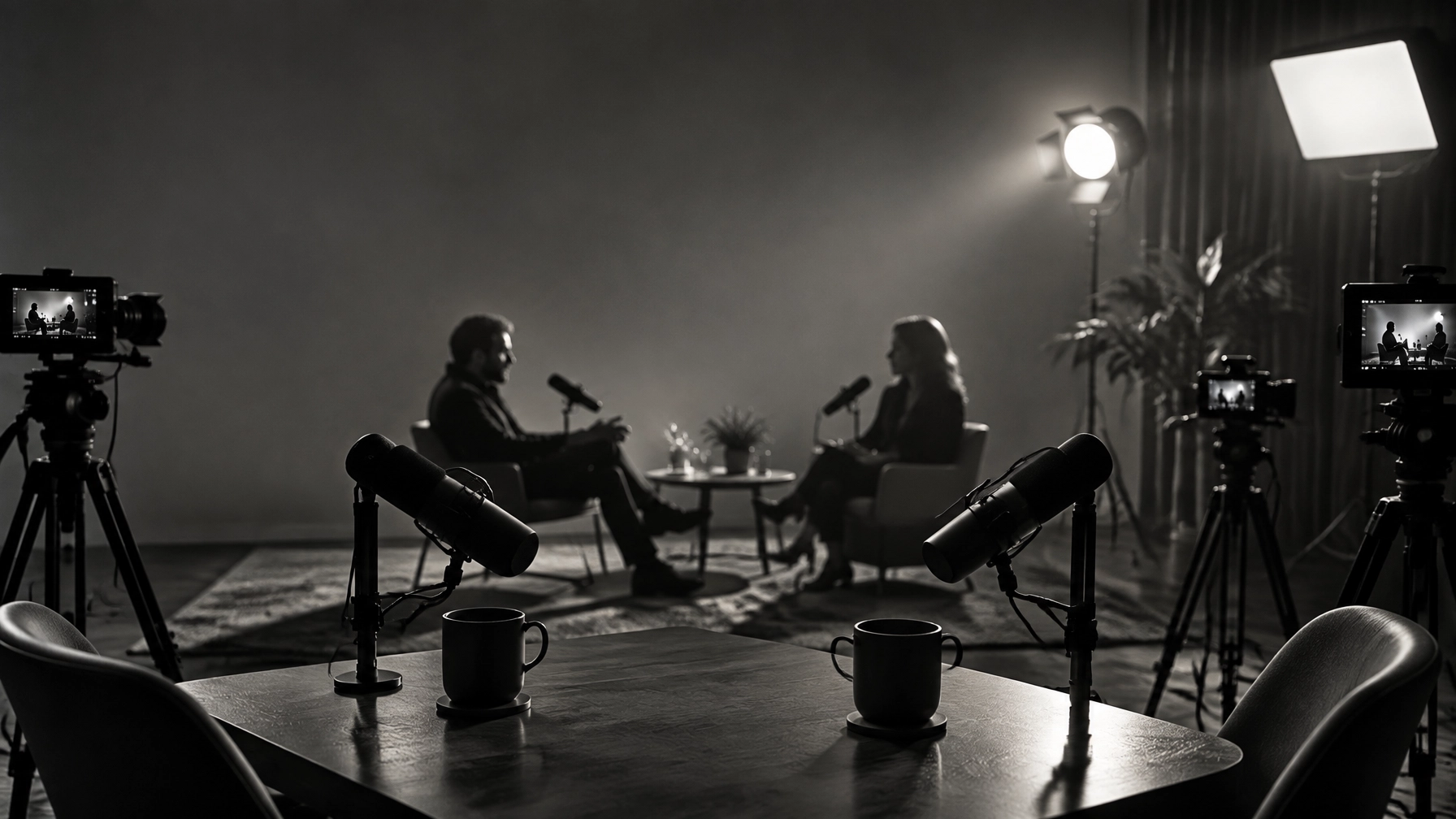
A professional live podcast production setup is not defined by the quantity of equipment assembled around a table. It is defined by the relationship between format, location, audience, technical reliability, and post-production potential. The correct setup supports the conversation while simultaneously creating a library of reusable visual and audio content.
For a first professional podcast, the decision generally rests among three models: a dedicated studio, a streaming or remote setup, and on-site or live-event production. Each model serves a different production logic. Each model produces a different level of control. Each model can be effective when aligned with the show’s objectives.
Production principle: Audio quality is foundational. Video quality is differentiating. Multi-camera coverage is transformative.
The Three Live Podcast Production Setups at a Glance
| Setup | Best for | Primary advantage | Main consideration |
|---|---|---|---|
| Dedicated studio | Recurring shows, branded series, interviews | Consistency and visual control | Requires a fixed location |
| Streaming or remote | Distributed hosts, remote guests, frequent interviews | Flexibility and guest accessibility | Internet and participant environments vary |
| On-site or live event | Conferences, panels, audience recordings | Energy, immediacy, and audience connection | Requires advanced planning and redundancy |
The best choice is not necessarily the most elaborate choice. The best choice is the one that reliably produces the intended content, episode after episode, guest after guest, and platform after platform.
1. Dedicated Studio Production

A dedicated studio is the most controlled form of live podcast production. It provides a repeatable environment in which acoustics, lighting, camera positions, backgrounds, and branding can be standardized. This consistency is particularly valuable for businesses, recurring interview programs, and podcasts intended to develop a recognizable visual identity.
A studio setup commonly includes:
- Broadcast-quality microphones for each speaker
- Acoustic treatment to reduce reflections and room noise
- Two or more cameras for host, guest, and wide-angle coverage
- Professional lighting with consistent color temperature
- A multi-input mixer or audio interface
- A recording and streaming system
- Monitors for producer oversight and audience interaction
- Local backup recording for audio and video
The dedicated studio is especially effective when a podcast is recorded weekly or monthly. Once the environment has been calibrated, the production team can repeat the workflow with greater efficiency. The background remains consistent. The lighting remains consistent. The camera framing remains consistent. The show begins to function as a visual product rather than merely an audio file.
Why multi-camera production matters in a studio
A single camera can document a conversation. Multiple cameras can interpret it.
A wide shot establishes the relationship between participants. A close-up captures the host’s question. A separate angle records the guest’s response. Reaction shots preserve the rhythm of the discussion. These variations are essential for long-form video, YouTube publishing, vertical clips, sponsor integrations, and social media teasers.
Multi-camera production also reduces visual monotony. A static frame may be acceptable for an audio-first audience, but a professionally edited video podcast benefits from movement, reframing, and visual emphasis. The result is a more compelling viewing experience without disrupting the natural conversation.
Modish Visuals provides live podcast production services designed around this broader workflow, from setup and capture through editing and delivery. For organizations that require a repeatable branded show, a dedicated studio can provide the strongest long-term foundation.
2. Streaming and Remote Production

A streaming or remote setup is appropriate when the host, co-host, or guest cannot occupy the same physical location. It is also appropriate for shows that prioritize convenience, geographic flexibility, and frequent interviews with guests who may not be technically experienced.
Remote live podcast production generally combines:
- A browser-based recording or streaming platform
- A reliable microphone for every participant
- Headphones to prevent echo and feedback
- A webcam or camera with adequate lighting
- Stable, high-speed internet
- Local or separate-track recording
- A producer or technical coordinator when the show requires additional control
Browser-based platforms can reduce guest friction because participants may join through a link rather than installing complex software. Research from StreamYard emphasizes the value of guest-friendly workflows, local recording, separate participant tracks, and integrated multistreaming. Riverside’s live podcasting guide similarly identifies simultaneous streaming and recording, branding tools, audience engagement, and repurposing as important considerations.
A remote setup is not automatically less professional. It is simply more dependent on preparation. Every participant must control the environment: quiet room, appropriate microphone placement, stable internet connection, suitable lighting, and notifications disabled. A remote guest with poor audio can compromise an otherwise excellent production.
When remote production is the right decision
Remote production is a strong option for:
- Interview shows with guests across different cities
- Panels involving distributed participants
- Businesses that want rapid executive interviews
- Podcasts that publish frequently
- Audio-first programs beginning their transition to video
- Teams without a permanent studio
For remote shows, the producer should prioritize local recordings and separate audio tracks whenever possible. A live stream is vulnerable to network instability; a local recording provides a cleaner source for post-production. Separate tracks also allow the editor to reduce noise, adjust individual voices, remove interruptions, and create more polished clips.
The remote setup should therefore be evaluated by its complete workflow, not merely by its live broadcast appearance.
3. On-Site and Live-Event Production

On-site production places the podcast in front of an audience or within an active event environment. Conferences, festivals, corporate gatherings, panel discussions, and branded experiences frequently benefit from this format.
The on-site model creates a form of content that a private studio cannot fully reproduce: audience energy. Applause, questions, reactions, and environmental context become part of the episode. The podcast becomes both a broadcast and an event asset.
However, on-site live podcast production requires the most comprehensive planning. The production team must evaluate:
- Venue acoustics and ambient noise
- Stage placement and sightlines
- House audio and public-address integration
- Microphone requirements for hosts, guests, and audience members
- Internet reliability
- Power availability and cable management
- Camera positions and audience obstruction
- Backup recording systems
- Technical rehearsal time
- Streaming destinations and moderation
A minimum professional camera plan may include a wide stage camera, a close-up camera, and an audience or reaction camera. Larger productions may add isolated recordings for every camera, enabling the editor to create multiple versions after the event.
On-site callout: The live audience creates the atmosphere; the production team must preserve the clarity.
In an on-site environment, recording the same signal in multiple ways is prudent. The front-of-house mix may serve the venue, while a separate clean feed is recorded for the podcast. A backup recorder can protect against a failed connection, a corrupted file, or an unexpected interruption.
How the Right Setup Creates Reusable Content
The value of professional production extends beyond the original episode. A single live recording can become:
- A full-length video podcast
- An edited audio episode
- YouTube chapters
- Short vertical clips
- Guest-specific promotional videos
- Sponsor segments
- Quote graphics
- Audiograms
- Behind-the-scenes footage
- Newsletter material
- Website content
- Speaker or corporate reels
This is where multi-camera production becomes strategically important. A wide shot may work for the full episode, while close-up footage can be cropped into vertical content. A clean guest angle can become a promotional clip. Audience reactions can communicate credibility and energy. Separate audio tracks can support accurate editing and noise reduction.
Professional production elevates an audio-only show by adding context, presence, and discoverability. The result is not merely an audio recording with a camera pointed toward it. It is a coordinated content system.
Modish Visuals also provides professional editing and formats and effects, allowing a recorded conversation to be shaped for different platforms and audiences.
How to Choose Your First or Next Setup
A practical decision sequence can prevent unnecessary investment.
Choose a dedicated studio when:
- The show has a recurring schedule
- Hosts and guests are usually in the same location
- Visual branding is a major priority
- The podcast requires consistent lighting and framing
- The team plans to publish frequent video clips
Choose streaming or remote production when:
- Guests are geographically distributed
- The show depends on convenience and speed
- Participants have different levels of technical experience
- The program is still testing its format
- The team requires flexible scheduling
Choose on-site production when:
- The podcast is part of a conference or event
- Audience interaction is central to the format
- Sponsors require visible brand integration
- The event itself is an important content asset
- Multiple deliverables must be created from one recording
Before upgrading equipment, the podcaster should identify the next production constraint. If the audio is inconsistent, improve microphones and monitoring. If the image is flat, improve lighting. If the show feels visually static, add a second camera. If the workflow is unreliable, add a producer, backup recording, or technical rehearsal.
Final Recommendation
The best live podcast production setup is the setup that supports reliable capture, clear communication, strong visual storytelling, and efficient reuse.
A dedicated studio offers control. A remote streaming setup offers flexibility. On-site production offers atmosphere and audience connection. Multi-camera coverage strengthens all three by creating visual variety and increasing the number of usable deliverables.
For podcasters choosing their first professional setup, the recommended sequence is straightforward: begin with excellent audio, establish reliable recording, introduce intentional lighting, add camera coverage, and build a post-production plan before expanding the equipment list.
For podcasters choosing their next professional setup, the central question is equally straightforward:
What should every episode become after it ends?
If the answer includes a polished podcast, a video episode, social clips, promotional assets, and a consistent brand experience, professional live podcast production is not an optional enhancement. It is the structure that makes those outcomes possible.
Contact Modish Visuals to plan a studio, remote, or on-site podcast production workflow designed for the full life of the content.


